
Most people who try to make a game with AI fail the same way. They type “make me a game like Mario Kart”, get a grey box that wobbles, and decide the hype was fake. The prompt was the problem: nothing about controls, camera, scope, or how you win or lose.
This page is the fix: 30 AI game development prompts you can copy, grouped by stage and genre. The first three are the actual prompts our team used to build games on Noggles.online, a free collection of browser games built by our team with Claude Code. The rest are written the same way, and each genre points to a Noggles game so you can play what a finished version of that genre feels like before you start.
| Stage or genre | Prompts | Play an example |
|---|---|---|
| Our team’s real prompts | 1–3 | Nouns Brawl, Nouns City |
| Workflow (any genre) | 3–8 | Every game |
| Fighter | 1, 2, 9 | Nouns Brawl |
| Kart racer | 10–12 | Nouns Kart |
| Tower defence | 13–15 | Nouns Defense |
| 4X / turn-based strategy | 16–18 | Nouns Village, Nouns Heroes |
| Virtual pet / collector | 19–21 | Nouns Pets |
| Puzzle match-3 | 22–24 | Nouns Puzzle Match |
| Educational / quiz | 25–27 | Nouns K12, Nouns Lingo |
| Rhythm / dance | 28–30 | Nouns Dance Party |
Every Noggles game was built by the AiTraining2U team with Claude Code. Free, in the browser, no sign-up.
How to use these prompts with Opus 5.5 and Astra
Every prompt works in both tools. The tag on each card says where we would start.
- Claude Opus 5.5 in Claude Code. Opus 5.5 is the default model in Claude Code on paid plans. Anthropic pitches it for long-running agentic coding, and it reads your whole project folder, so it suits games that grow over many sessions. Effort runs from low to max and defaults to medium; raise it for the planning prompt, keep it at medium for small fixes. Our Claude course covers the setup.
- GPT-6 Astra in Codex or ChatGPT. OpenAI says Astra has stronger visual judgment for games and apps, can run front-end checks on what it builds, and keeps searchable notes across long sessions instead of squashing them into a summary. OpenAI’s own game-building guide leans on browser tests and screenshots to let the model check its work. Our ChatGPT and OpenAI course covers Codex.
Fill in the square brackets. Send one prompt at a time and play the result before the next. If you want the wider picture first, start with our guide to making a game with AI.
The loop behind every prompt on this page
- 1Plan firstAsk for a plan and proposal before any code. Read it, cut it, approve it.
- 2BuildLet the model build one small, playable slice.
- 3Play itActually play, on the device your players will use. Phone and keyboard both.
- 4Report what’s wrongSpecific, one problem at a time, with steps to reproduce (prompt 4).
- 5RepeatSame project, next improvement. Games get good on loop five, not loop one.
Prompts 1–3: the real prompts our team used
These come straight from our Claude course deck. Prompt 1 built the first version of Nouns Brawl, a 3D voxel fighter that now has 60 characters, 34 stages and online play with friends. The power is in “plan and propose first” and in naming the platform.
Using these FBX characters, build a 3D fighting game where each character has special moves. Plan and propose first before we proceed. The game has to be playable in the browser, so use three.js.
Add a winning cut scene and a finishing move per character. Add combos. Add online play. Keep iterating and keep improving it.
Prompt 3 is our plan-and-propose template. It started Nouns City, the 3D open-world life sim with 100 Nouns who have jobs and routines. Swap in your own world and keep the last sentence: describing how it should feel gets you a better plan than a feature list.
Create another new game where the player explores Nouns City. Plan and propose first. I want it to feel like a living world where each Noun has a role, task and interactions.
For a deeper walk-through of the three.js side, see our three.js game with Claude Opus guide.
Prompts 4–8: workflow prompts for any genre
We reuse these on every project. Beginners skip the scope cut, which is why most first attempts stall.
Bug report. What I did: [steps]. What I expected: [expected result]. What happened: [actual result]. Device and browser: [e.g. Android Chrome on a mid-range phone]. Console errors: [paste them]. Before you change anything, explain the likely cause in two sentences. Then fix only this bug and tell me exactly how to retest it. Do not refactor unrelated code.
Your plan is too big for a first version. Cut it to a slice I can play in one evening: one level, one character, one enemy type, a win screen and a lose screen. List everything you removed in a BACKLOG.md file so we do not lose it. Do not write any code until I approve the cut list.
Do a performance pass. Target: a steady 60 fps on a mid-range Android phone and a school Chromebook. First add a debug overlay (toggle with F3) showing fps, frame time, draw calls and triangle count. Measure, list the three biggest costs, fix them one at a time and report before-and-after numbers. Do not change gameplay or visuals without asking me.
Add mobile controls without breaking keyboard or gamepad. Left thumb: a virtual joystick. Right thumb: two action buttons at least 64px wide, placed where thumbs rest in landscape. Use pointer events and set touch-action: none on the game canvas so the page never scrolls or zooms mid-game. Show touch controls only on touch devices, and show a rotate-to-landscape message in portrait.
Polish pass, no new features. Add: screen shake and a short hit-pause on big hits, particle bursts on pickups, sound effects with a mute button, a title screen, a pause menu, and a results screen with a Play Again button. Keep added assets under 2 MB. Give me a checklist of every change so I can playtest each one.
Why the bug report prompt works. “It’s broken” makes the model guess, and a guessing model rewrites code that was fine. Steps, expected, actual and device give it a target. Asking for the cause before the fix also stops it papering over the real problem. A human still plays every fix before moving on.
Fighter: prompts 1, 2 and 9
Prompts 1 and 2 are the fighter build and iteration. Prompt 9 adds the piece that makes a fighter fair: numbers you can tune.
For the fighting game, create a characters.json with 8 fighters. Each gets health, walk speed, a light, heavy and special move (damage, startup and recovery frames), and one finishing move. Build a training mode with a dummy and on-screen frame data so I can feel the balance. Propose the numbers first as a table; I will adjust them before you wire them in.
Kart racer: prompts 10–12
Example: Nouns Kart, a voxel kart racer with 60 drivers, 20 tracks, 2-player and battle modes.
Build a browser kart racer with three.js. Plan and propose first. One looping track with a jump and a shortcut, 6 AI drivers that follow a racing line with small random mistakes, drifting that charges a mini-boost, 3 laps, a position counter and a lap timer. Chase camera that pulls back at high speed. Keyboard, gamepad and touch controls.
Add 4 items: a speed boost, a shield, a trap you drop behind you and a homing shot. Item boxes sit on the track; drivers further back get better odds. Show the held item in the HUD and let AI drivers use items too. Show me the odds table before you code it.
Add 2-player split screen on one device: player 1 on WASD, player 2 on the arrow keys or a second gamepad. Keep 60 fps by lowering shadows and draw distance in split mode only. Then add a battle mode in a small arena: three balloons each, lose one per hit, last driver standing wins.
Tower defence: prompts 13–15
Example: Nouns Defense, a voxel tower defence game with 15 maps.
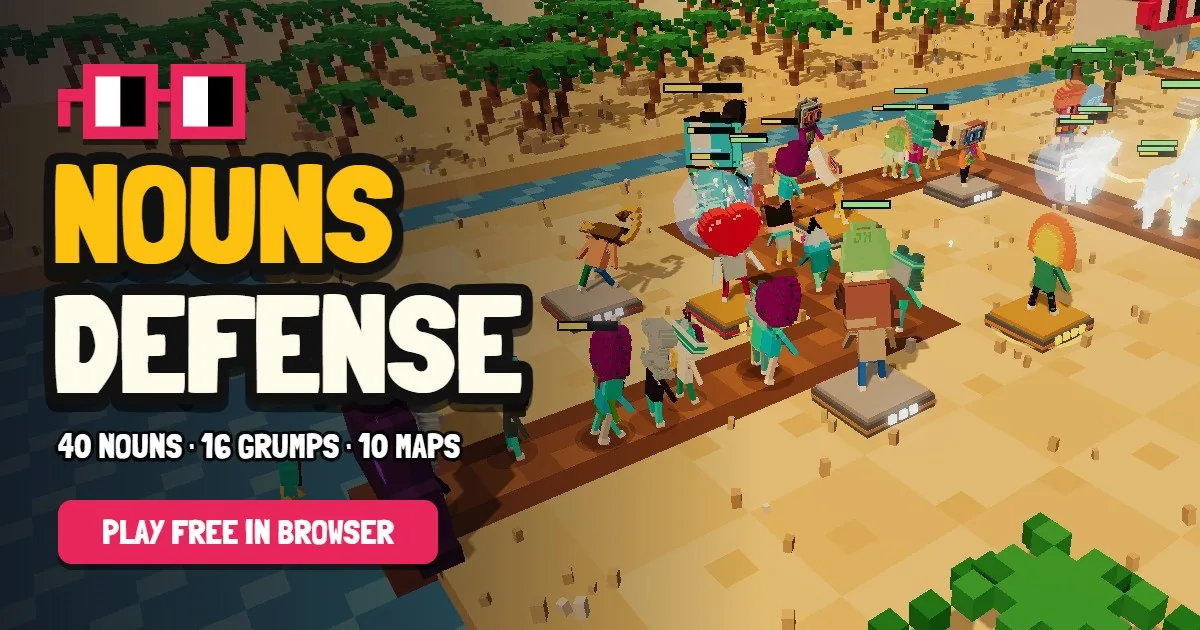
Plan and propose a voxel tower defence game for the browser. Version 1: one map with a winding path, 10 waves, 3 tower types (fast single-target, slow splash, slowing), each with 2 upgrades. Gold from kills; lives lost when enemies reach the base. Show the wave table and tower stats as tables before writing code.
Write a headless simulation that plays all 10 waves with a simple greedy bot that places and upgrades towers, and prints lives left after each wave. Run it 20 times. If the bot always wins with lives to spare, the game is too easy: suggest 3 balance changes, apply them and rerun. Show me the results.
Move the path, build spots and waves into maps/map1.json, then design 3 more maps with different path shapes. Add a map select screen with a 1 to 3 star rating based on lives left, saved in localStorage.
4X and turn-based strategy: prompts 16–18
Examples: Nouns Village, 4X strategy on a rotatable 3D hex world with up to 10 rival civilisations, and Nouns Heroes, fantasy turn-based strategy with 8 factions.
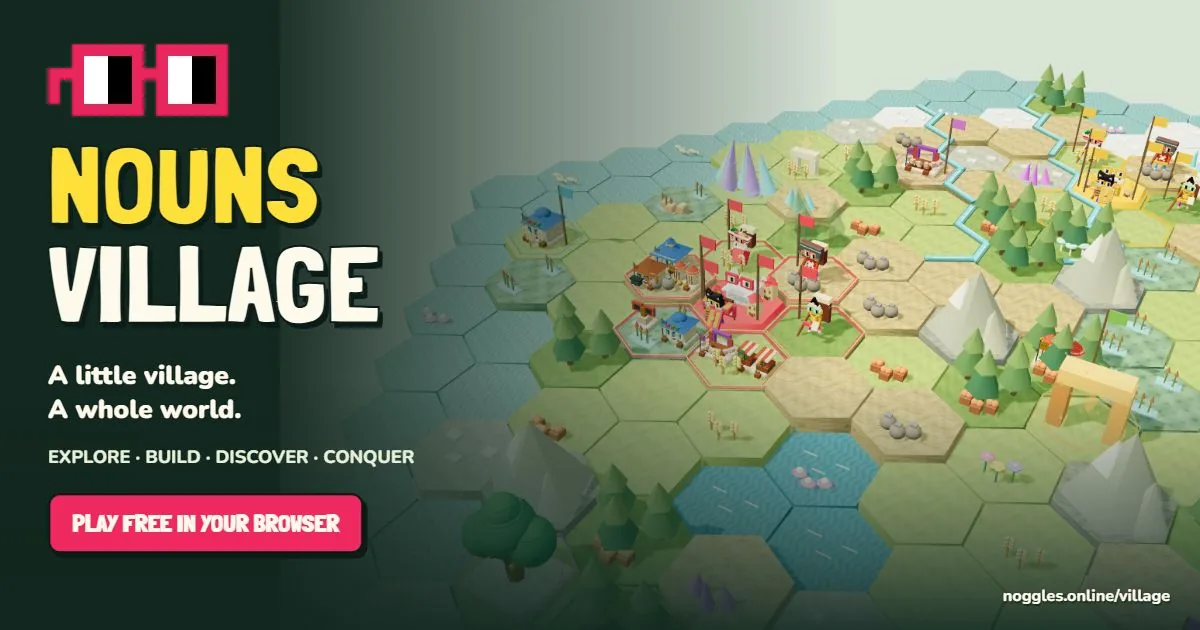
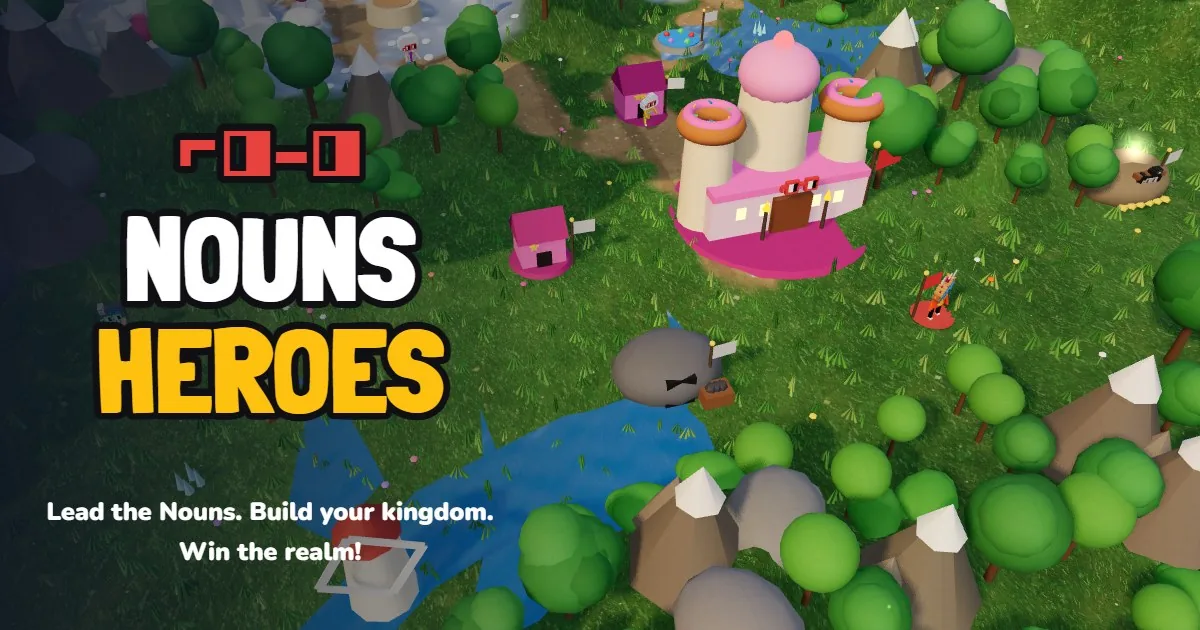
Plan and propose a small turn-based 4X game on a 3D hex map I can rotate. Version 1: a 20x20 map, 2 civilisations (me and one AI), 3 resources, cities that grow, 4 unit types, and 2 ways to win (conquest or score). Write the rules as a one-page design doc first. Keep game logic separate from rendering so the rules can be tested on their own.
Write the computer opponent. It should expand early, defend cities under threat and attack when it has a clear advantage. Add three difficulty levels that change its decisions, not its stats. Add a debug panel that logs why it chose each move this turn.
Add an end-turn button, a turn summary panel (city grew, unit attacked, resource found), undo for the last move only, and save/load with 3 slots in localStorage. Put a version number in each save so old saves never crash the game. Test that a saved game reloads to exactly the same state.
Virtual pet and collector: prompts 19–21
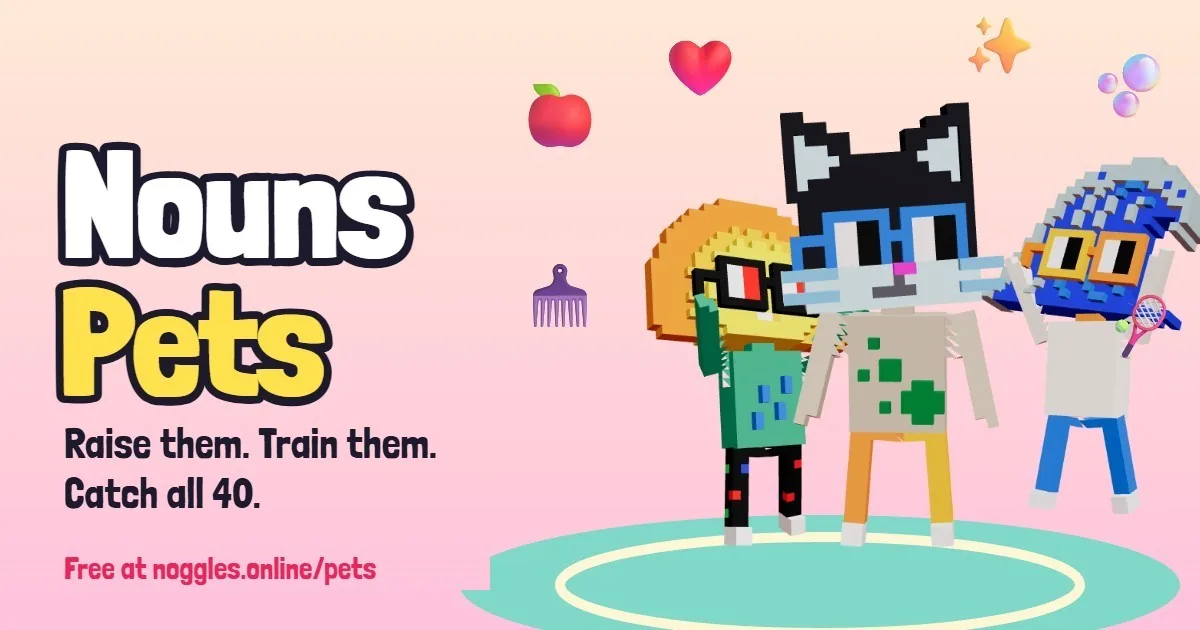
Example: Nouns Pets, a virtual pet and creature collector with 12 minigames and a NounDex.
Make a virtual pet game for the browser. Plan and propose first. The pet has hunger, energy and happiness that drop slowly in real time, even while the tab is closed (use saved timestamps). Feed, play and sleep buttons; the pet's face shows its mood. Save to localStorage. Friendly for a 9-year-old: nothing permanent goes wrong, the pet only gets sleepy or grumpy.
Add a collection book: 24 creatures across 4 habitats, each shown as a silhouette until found. Each entry has a name, a short fun fact and a rarity. Show progress as Found 7 of 24. Keep creature data in a JSON file so I can add more without touching code.
Add 3 minigames under 60 seconds each that earn food coins: catch the falling fruit, a memory card match, and a simple tap-to-the-beat game. Same controls on mouse and touch. Each ends with a score and a coin reward screen, then returns to the pet.
Puzzle match-3: prompts 22–24
Example: Nouns Puzzle Match, a match-3 with 50 levels, 8 worlds and a boss. Match-3 hides fiddly logic, so prompt 24 asks for tests.
Build a match-3 puzzle game for the browser. Plan and propose first. 8x8 grid, 6 tile colours, swap adjacent tiles, matches of 3 or more clear and new tiles fall in, cascades score combo points. The starting board must have no ready-made matches and at least one valid move; reshuffle if there are none left.
Add 20 levels from a levels.json file. Goal types: reach a score, clear jelly tiles, or bring items to the bottom, each within a move limit. Special tiles: a match of 4 makes a line clearer, a match of 5 makes a colour bomb. Award 1 to 3 stars and unlock the next level.
Before changing anything, write unit tests for match detection, gravity and reshuffle. Then make it feel good: tiles ease when they swap and fall, squash slightly on landing and pop with particles. Invalid swaps wobble back. After 5 seconds with no input, a valid move glows as a hint. All tests must still pass.
Educational and quiz games: prompts 25–27
Examples: Nouns K12, maths practice across 148 skills with worked examples, and Nouns Lingo, 18 languages with role-play scenes. For more on this genre, read our guide to AI educational games for kids and students. Check every generated question yourself: a quiz with a wrong answer key teaches the wrong thing.
Build a maths practice game for Form 1 students (age 13) covering fractions, decimals and percentages. Plan and propose first. Generate questions rather than hard-coding them, with 3 difficulty levels that adapt: two right in a row moves up, two wrong moves down. A wrong answer shows a worked example. No timer by default. Add a parent summary screen.
Make a vocabulary game for Bahasa Melayu learners: 50 everyday words in 5 themes (food, family, school, transport, weather). Modes: picture match, listen-and-choose using the browser's speech synthesis, and spell it. Words I get wrong come back sooner. Show me the word list to check before you build.
Turn my notes into a quiz show game. I will paste a topic summary below. Write 20 multiple-choice questions, each with one correct answer and three believable wrong ones, and show me the list to approve. Then build a game show screen with 4 answer buttons, a streak bonus and a final review of every missed question with the correct answer. [paste notes]
Rhythm and dance: prompts 28–30
Example: Nouns Dance Party, a rhythm game with 6 original songs and webcam hand tracking. Prompt 28 uses generated beats so you never ship someone else’s song.
Build a 4-lane rhythm game for the browser. Plan and propose first. Notes scroll toward a hit line; keys D F J K plus touch lanes. Timing windows: Perfect, Good, Miss. Notes load from a beatmap JSON with times in milliseconds. Schedule against the Web Audio clock, not frame timers, so notes stay in sync. Include a 30-second test track made from simple synth beats, no copyrighted music.
Add an audio latency calibration screen: the player taps along to 8 clicks and we store the average offset and apply it to hit timing. Then add a beatmap editor: play the song, tap keys to place notes, nudge them on a timeline, and save the beatmap as JSON.
Add a dance mode: an on-screen character dances to the beat, switching moves every 4 beats and striking a big pose on Perfect streaks. Add a combo counter, a score multiplier and an end grade from S to C. Keep it playable on a phone in landscape.
A starter pack for 12–15 year olds (with a parent)
A 12 to 15 year old can build a real, playable game with these prompts in a weekend, sitting next to a parent. AI tools have minimum-age rules, so use the parent’s account and let the parent handle setup and anything that installs software. Then hand over the keyboard. Our five picks:
- Prompt 19 (virtual pet): small, forgiving, instantly personal.
- Prompt 5 (scope cut): teaches the most useful habit in software, which is finishing a small thing.
- Prompt 4 (bug report): turns “it doesn’t work” into clear thinking. This is the skill teachers notice.
- Prompt 22 (match-3): a familiar genre with real logic to explore.
- Prompt 27 (notes to quiz show): feed it next week’s Science chapter and revision becomes a game the whole family can play.
Our article on vibe coding for teenagers in Malaysia has more on doing this safely. College students can take a different route: prompts 16–18 make a strong portfolio piece because the AI opponent and save system show real engineering, and our guide to AI prompting for college students covers the habits that make that work your own.
Prompts for work, not play
The same habits (plan first, cut scope, report precisely) are what make AI useful at the office. If you came here for business prompts, our AI prompt library for business has 390+ prompts by job function. For a sense of what Astra can do beyond games, see what people built with GPT-6 Astra.
Two hands-on days building real apps with Claude Code: plan first, build, test and iterate on your own idea. The same loop behind every prompt on this page.
Next public class: 5–6 December 2026 at Worq Subang · seats available
Individuals, students and parents can also join our public classes directly; you do not need an employer or HRDC to sign up.
HRD Corp claimable. AITraining2U is an HRD Corp registered training provider. Our public and in-house courses are claimable under the HRD Corp Claimable Courses (SBL-KHAS) scheme, and we prepare the grant paperwork with you. See HRDC-claimable AI training: courses, costs and how to claim.