Microsoft has attached the word "Copilot" to so many products that even IT teams get confused. There is a free Copilot, a paid Microsoft 365 Copilot, Copilot Studio, GitHub Copilot, and Copilot in individual apps. This guide is about the one Malaysian businesses keep asking us about: Microsoft 365 Copilot, the paid assistant built into the Office apps your staff already use every day.
The three "Copilots" you need to tell apart
- Copilot (free) — the general web chatbot, formerly Bing Chat. Useful, but it does not know anything about your business.
- Microsoft 365 Copilot (paid) — the assistant inside Word, Excel, PowerPoint, Outlook and Teams that can read your organisation's own files, emails and chats.
- Copilot Studio — the builder you use to create your own custom agents.
Everything below is about the second one, with a section on the third.
What it does in each app
Word drafts, rewrites and summarises — turn a few bullet points into a proposal, or compress a 30-page report into a one-page brief. Excel explains formulas, suggests analyses, and surfaces trends in a table without you writing the function by hand. PowerPoint generates a deck from a Word document or a prompt. Outlook triages your inbox, drafts replies, and summarises long threads. Teams produces meeting recaps, lists action items, and tells you what you missed if you joined late — Microsoft found users caught up on a missed meeting nearly four times faster.
A practical note for Malaysian users: Copilot handles Bahasa Malaysia and mixed English-Malay text well enough for drafting emails, summarising meetings and rewriting documents. Treat it as a strong first-drafter in either language, and review the output for tone and local nuance before it goes to a client or a regulator.
Copilot Chat and Work IQ
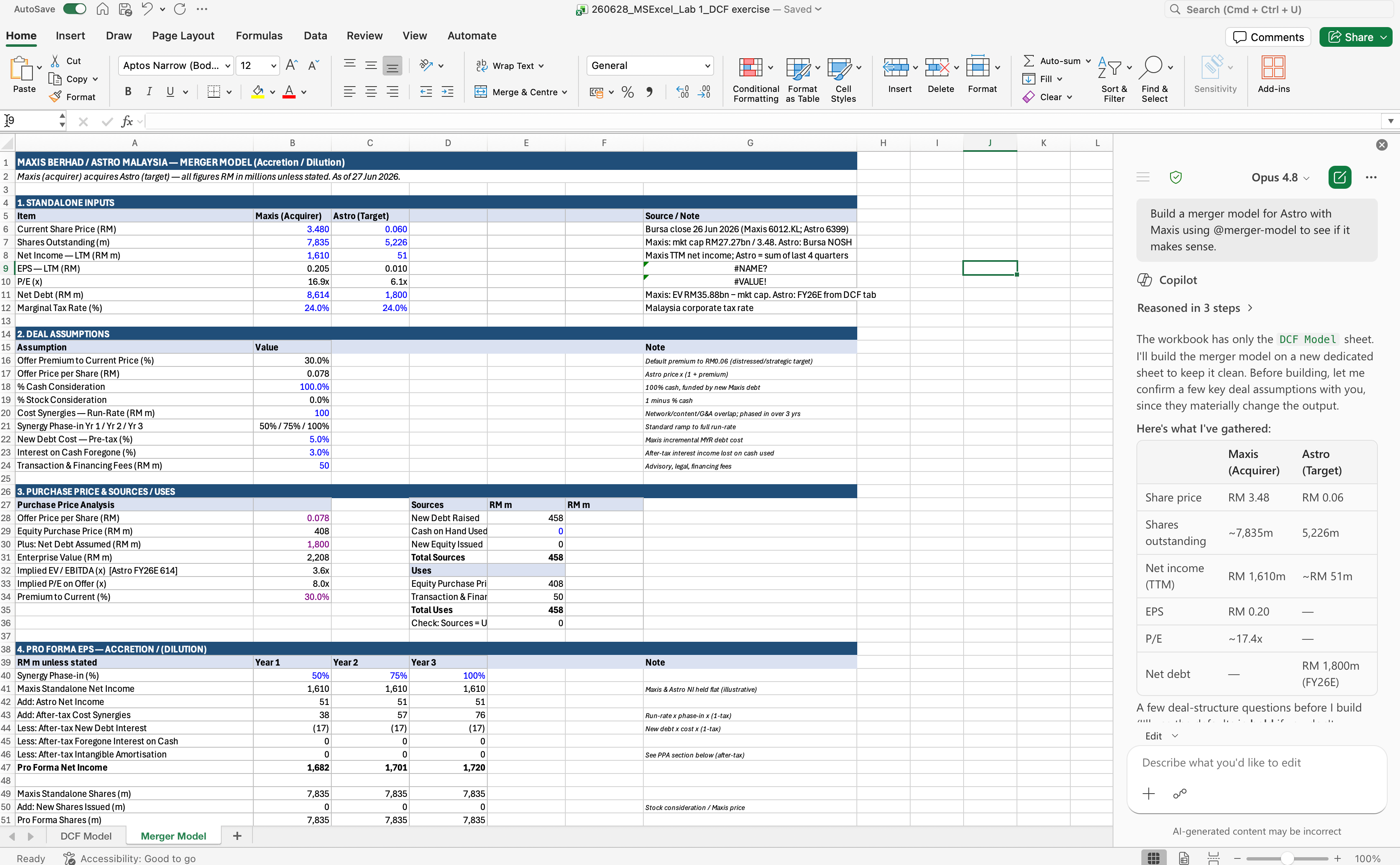
Copilot Chat is the conversational surface that can reach across all your Microsoft 365 content at once — "summarise everything about the Tan account from the last month" pulls from email, chats, files and meetings. Microsoft calls the intelligence layer that connects this context Work IQ. The practical point: unlike a public chatbot, Copilot answers from your data, which is what makes it useful for actual work.
Copilot Studio and agents
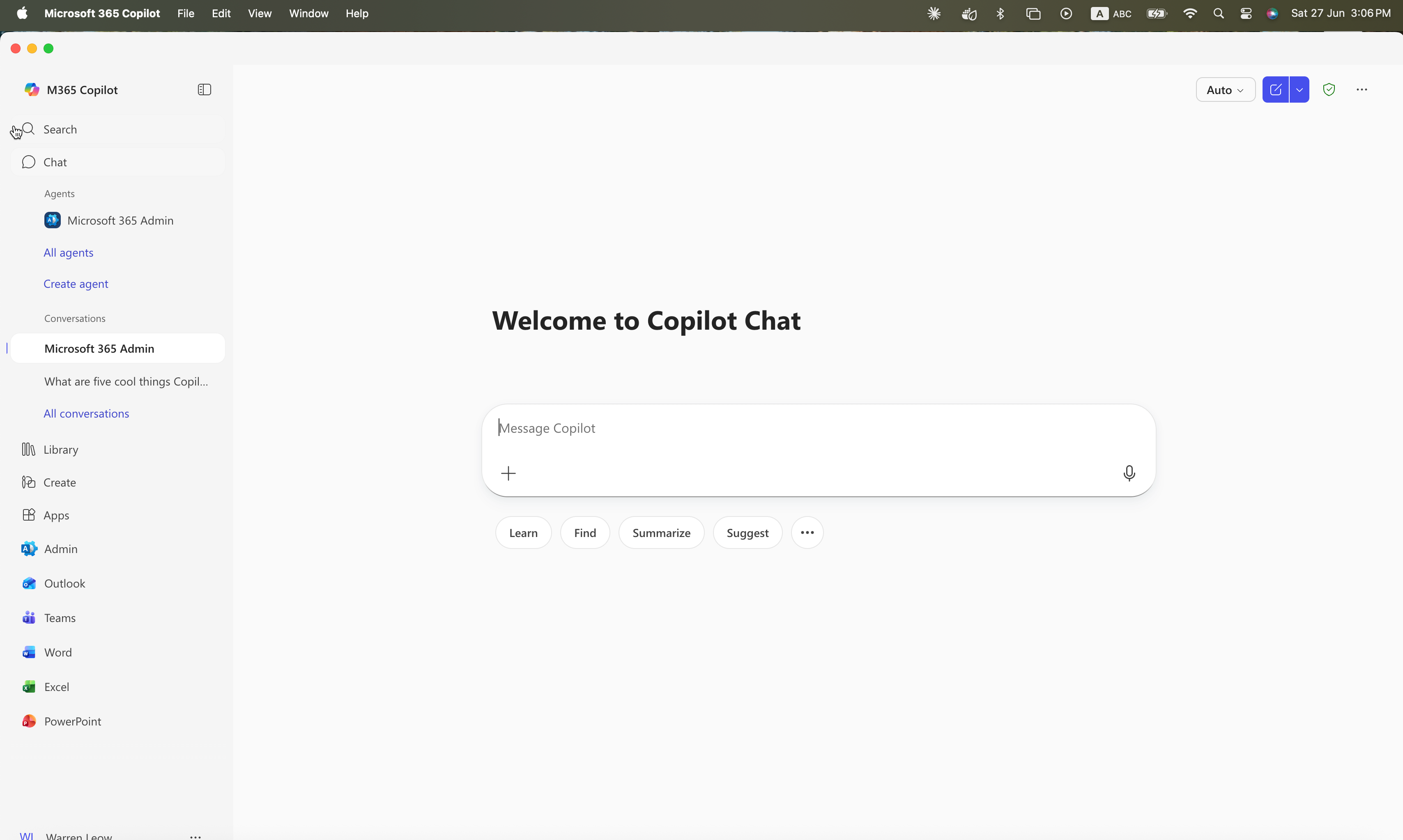
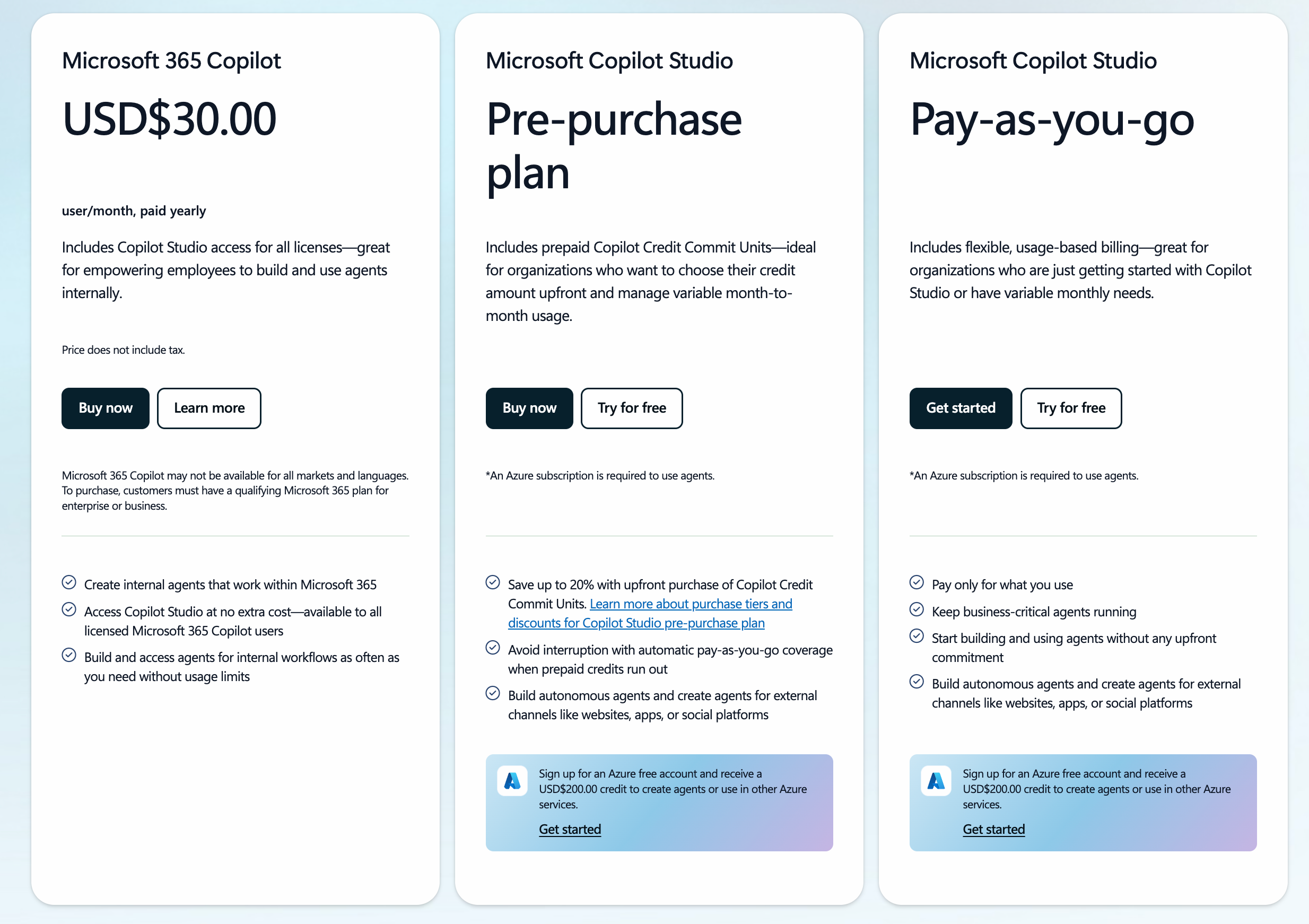
Copilot Studio lets you build custom agents without code — an HR assistant that answers leave-policy questions, an onboarding bot, an SOP lookup tool. Licensed Microsoft 365 Copilot users can build internal, employee-facing agents at no extra cost, subject to fair use. Agents that face customers or run at high volume are billed through message credits (prepaid packs and pay-as-you-go), and deploying agents requires an Azure subscription. This is where Copilot stops being a productivity tool and starts becoming automation — the same territory as AI agentic automation.
What it costs
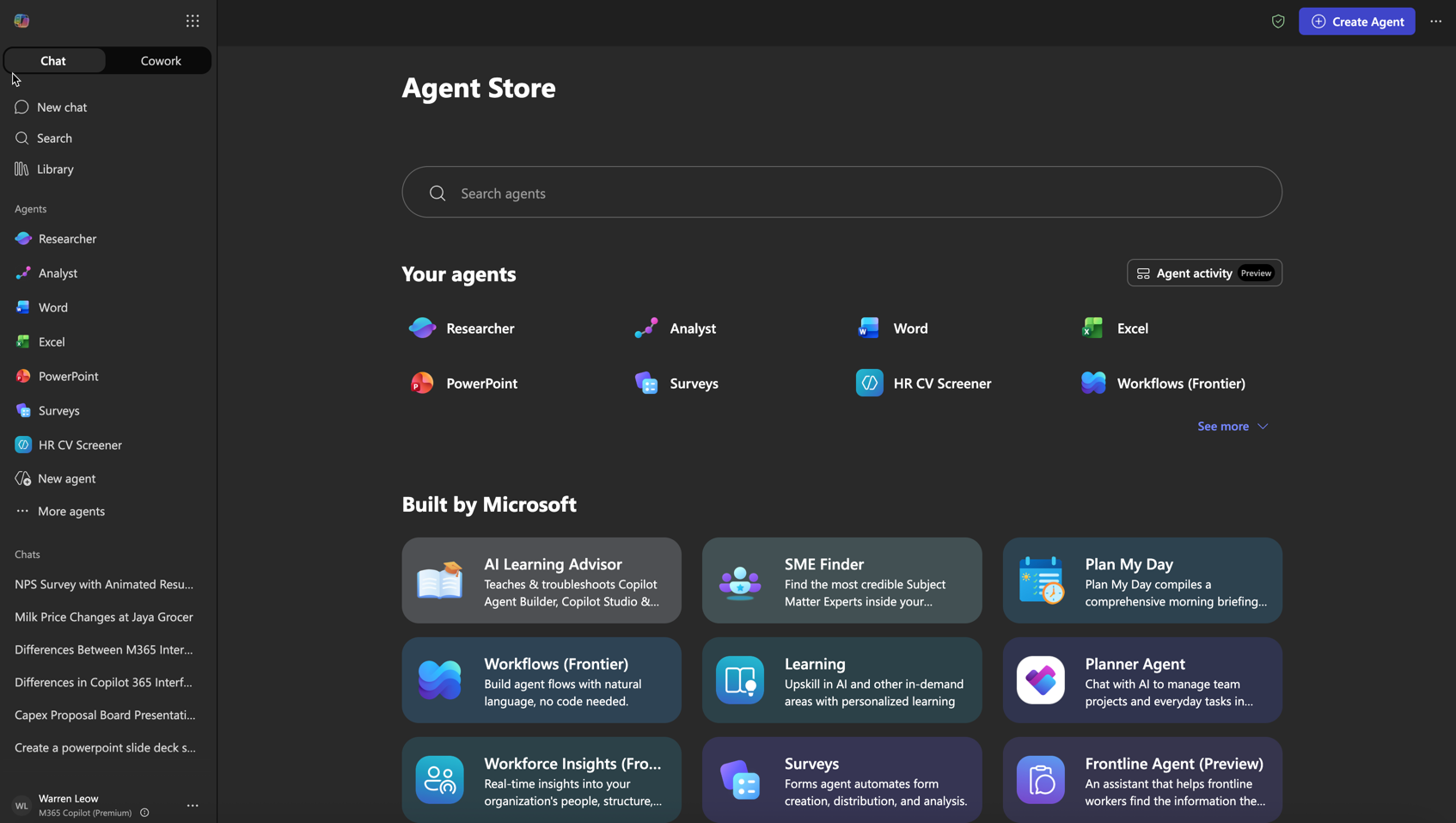
The Microsoft 365 Copilot enterprise add-on is around US$30 per user per month, billed annually, on top of your existing Microsoft 365 subscription. Microsoft periodically runs lower introductory tiers and promotional pricing, and Copilot Studio agents are billed separately via credits. Because Microsoft adjusts these regularly, treat any figure — including this one — as a starting point and confirm on the official pricing page before budgeting.
Data, security and governance
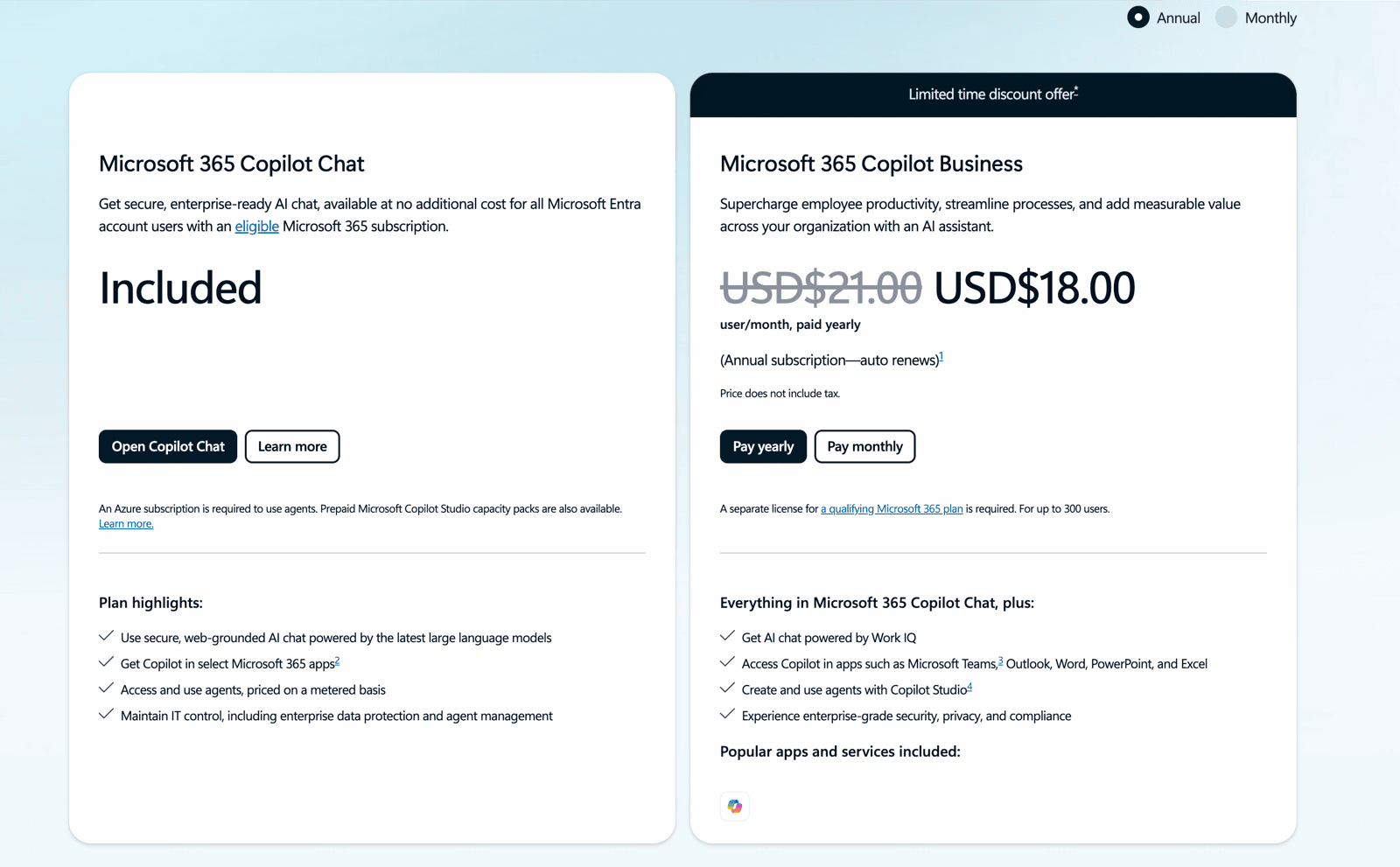
A common worry: "does our data train Microsoft's models?" Microsoft 365 Copilot runs inside your tenant and honours your existing permissions — it only shows a user what they already have access to. The real risk is internal: if your SharePoint permissions are loose, Copilot will happily surface a salary spreadsheet someone forgot to lock down. The fix is a permissions and governance review before you roll out widely, not avoiding the tool.
Copilot 365 vs ChatGPT and Gemini for business
The honest answer is that the leading assistants are close on raw quality, and the right choice usually comes down to where your data and your staff already live. If your organisation runs on Microsoft 365 — Outlook, Teams, SharePoint, Excel — Copilot's advantage is integration: it reads your existing content and works inside the apps people already have open, with no copy-pasting between a chatbot and a document.
ChatGPT Enterprise and Google's Gemini (built into Google Workspace) make the same argument for their own ecosystems, and many companies end up using more than one — Copilot for day-to-day Office work, a general assistant for open-ended research. The mistake is choosing on benchmark screenshots rather than on which tool removes the most friction for your specific team. We cover the wider trade-offs in Claude vs ChatGPT vs Gemini.
How Malaysian teams adopt it
Licences alone do not move the needle — training does. Most organisations get the best return by pairing the rollout with structured upskilling, which for Malaysian employers is HRD Corp SBL-KHAS claimable. See Microsoft Copilot 365 HRDC training in Malaysia for the funding mechanics, or go straight to the Copilot365 programme. If you are still comparing assistants, our Claude vs ChatGPT vs Gemini piece covers the wider landscape.