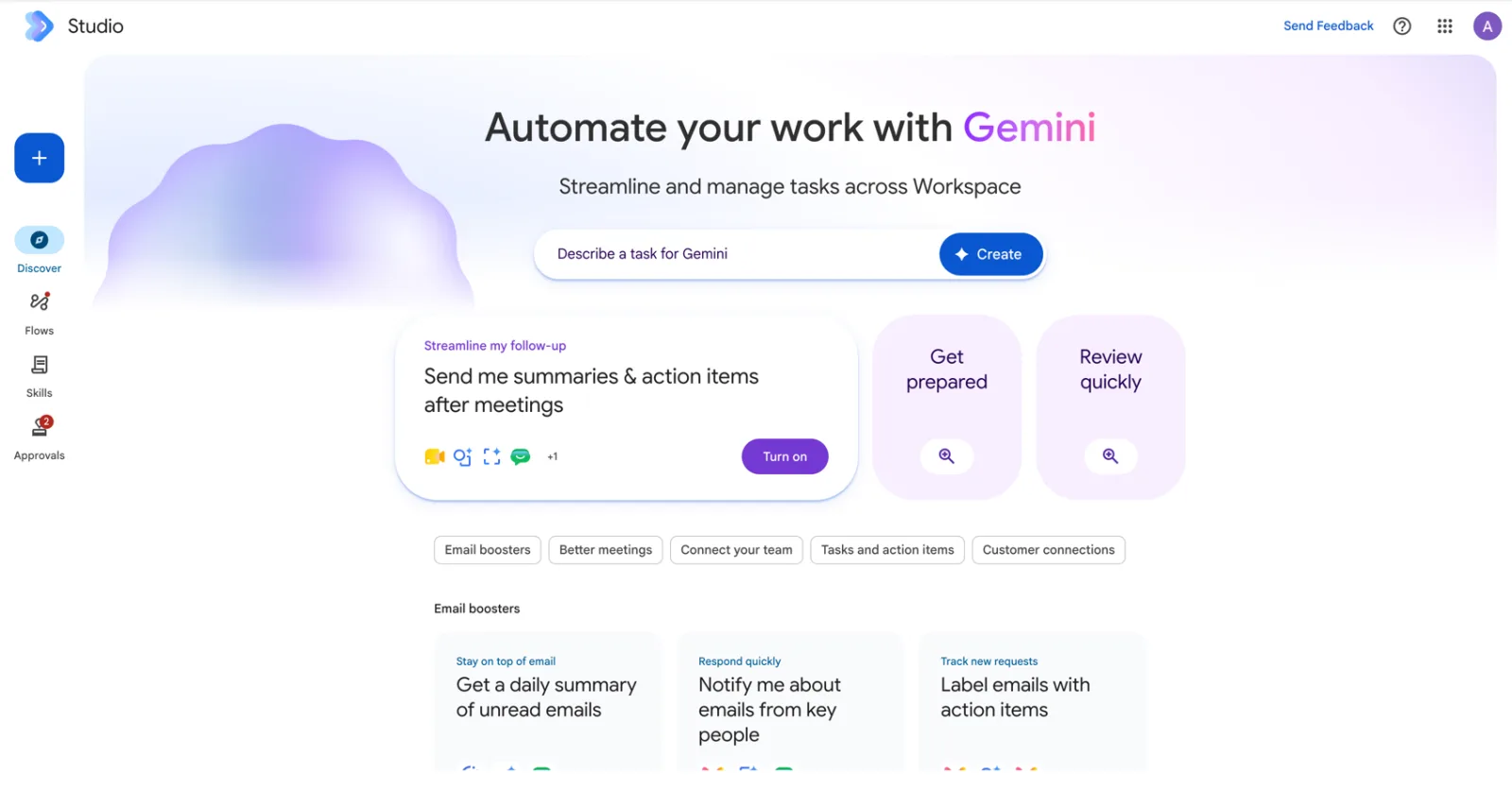
Short answer: use Google Workspace Studio if your company runs on Google Workspace and most of the work lives in Gmail, Drive and Sheets. Use n8n when a process crosses many systems, needs a model of your choice, or has to be self-hosted. Use Microsoft Copilot Studio if you are a Microsoft 365 shop. Most mid-sized Malaysian companies end up with their suite’s tool for everyday staff automation and n8n for the handful of back-office flows that cross systems.
We run courses on all three, so we have no reason to push one. In our experience the answer depends far more on where your data already lives than on feature lists.
Side by side
| Google Workspace Studio | n8n | Microsoft Copilot Studio | |
|---|---|---|---|
| Who builds | Any Workspace user, in plain English | Ops or tech-minded staff; visual nodes, some JSON | Makers in Microsoft 365; Agent Builder for simple, Copilot Studio for triggers |
| Lives inside | Gmail, Chat, Drive, Calendar, Sheets, Docs | Its own editor, cloud or self-hosted | Teams, Outlook, SharePoint, Dynamics 365 |
| AI model | Gemini 3 | Any: Claude, GPT, Gemini, local models | Microsoft’s Copilot models, plus others in Copilot Studio |
| Outside apps | 8 integrations in beta (Sept 2026), webhooks, Apps Script custom steps | Hundreds of nodes plus any HTTP API | Power Platform connectors, MCP |
| Cost model | Included in Business and Enterprise plans; usage limits from 1 Oct 2026 | Free self-hosted, or a cloud subscription | Copilot licences plus metered Copilot Credits for autonomous agents |
| Hard limits | 25 flows per user, 20 steps per flow | Your server, or your plan’s executions | Credit consumption |
| Best at | Personal and team automation on Google data | Cross-system back-office workflows | Automation on Microsoft data and Teams |
Sources: Google Workspace Studio help and Workspace Updates (Sept 2026); Microsoft Learn via our Copilot Studio guide; n8n documentation. Checked September 2026.
Where Workspace Studio wins
No setup. It is already in the plan, it already has access to your mail and files, and a sales executive can build a working flow in an afternoon without asking IT for anything. The AI steps (Decide, Extract, Summarize) are built in rather than bolted on, and Skills let a team share one house style across every flow. For “my inbox, my meetings, my Sheet” automation, nothing else is as quick. Our full Workspace Studio guide covers what is in the box.
Where n8n still wins
Breadth and control. n8n connects to far more systems, lets you pick Claude or GPT or a local model per step, runs on your own server if data residency matters, and has no 20-step ceiling. It is also where you build the flows that are really business processes: a lead from a website form that is checked against the CRM, scored, pushed to WhatsApp and logged to accounting. Our n8n vs Make vs Zapier comparison covers that side of the market, and our n8n course is the one we run most often.
The 17 September 2026 update narrows the gap. With webhooks and Apps Script custom steps, a Studio flow can now call an n8n workflow and hand back the result. That is the combination we now recommend to Google shops: Studio for the trigger and the human-facing parts, n8n for the heavy lifting behind it.
Where Copilot Studio wins
If your files live in SharePoint and your team lives in Teams, Copilot Studio is the Microsoft equivalent, with deeper enterprise plumbing (Dataverse, Power Platform connectors, Dynamics). The trade-off is billing: autonomous agents consume Copilot Credits, so a noisy trigger costs money. Our Copilot Studio agents guide has the credit maths.
How to choose in two minutes
| If this is you | Start with |
|---|---|
| Your company runs on Google Workspace and the work stays mostly in Gmail, Drive and Sheets | Workspace Studio |
| The process crosses five systems, or touches a database, WhatsApp or an in-house API | n8n (optionally triggered from a Studio webhook) |
| Your company runs on Microsoft 365 with Copilot licences | Copilot Studio |
| You need full control of the model, the data location or the logs | n8n self-hosted |
| You want every employee building small helpers without IT tickets | Workspace Studio or Copilot Agent Builder, whichever matches your suite |
A practical plan for a Google Workspace company
Rolling out Studio without losing control
- 1Month 1: personal flowsEnable Studio for one department. Everyone builds one flow for their own inbox or meetings. Approvals on anything external.
- 2Month 2: shared SkillsCollect the best prompts into three to five team Skills: lead summary, customer reply tone, meeting minutes format.
- 3Month 3: team flowsBuild the shared ones: sales inbox triage, daily summary, form triage. Review the Activity log weekly.
- 4Month 4: connect the restWhere a flow needs a system Studio cannot reach, call n8n by webhook instead of forcing it.
Whichever tool you pick, the limiting factor is rarely the software. It is whether people know what to automate and how to write an instruction a model can follow. That is what our courses are for.
Two hands-on days on Gemini in Gmail, Docs, Sheets and Meet, then building governed flows and agents on your own work. In-house for your team, on your Workspace tenant.
Public dates coming soon — in-house classes run on your dates.
HRD Corp claimable. AITraining2U is an HRD Corp registered training provider. Our public and in-house courses are claimable under the HRD Corp Claimable Courses (SBL-KHAS) scheme, and we prepare the grant paperwork with you. See HRDC-claimable AI training: courses, costs and how to claim.