
A product photo shows one angle. An interactive 3D page lets a buyer spin it, switch to walnut and see the price change. That is why showrooms, developers and event organisers keep asking us how to build a 3D website with AI without hiring a games studio.
The practical answer is a two-tool pipeline: Claude works inside Blender through the Model Context Protocol to build the assets, then Claude Code writes the three.js page people tap on. This guide covers both, with eight prompts you can copy. If MCP is new to you, read what MCP is and why it matters first, then our Blender MCP setup guide.
What you can build, and who it is for
Typical applications Malaysian teams ask about. None needs a headset; all run in a phone browser from a link you can paste into WhatsApp.
| Experience | Typical users | Blender side (Claude + MCP) | Browser side (Claude Code + three.js) |
|---|---|---|---|
| Virtual showroom | Furniture, kitchen, lighting and car dealers | Room shell, hero products, baked lighting | Orbit, hotspots, WhatsApp buttons |
| Property walkthrough | Developers, agents, interior designers | Unit layout, finishes as material sets | Room-to-room camera stops, finish switcher |
| Product configurator | Manufacturers, custom furniture, signage | One clean model with named parts | Option picker, live price from a price list |
| Campus or event map | Universities, expos, malls, conference organisers | Low-poly halls, booths, landmarks | Search, booth pins, schedule, routes |
| Museum or gallery exhibit | Museums, heritage sites, brand galleries | Artefacts, plinths, labels | Guided tour, captions in BM, English, Chinese |
| Digital twin dashboard | Warehouses, factories, facilities teams | Often none: boxes drawn in code | Live data, colour by status, alerts |
The browser side is where most of the business value sits. The Blender side decides how good it looks and how fast it loads.
The last row matters. Our own proof point is the 3D Inventory & Warehouse Planner on the vibe coding course page: a live 3D twin of a warehouse showing stock by rack, reserved stock for a quote, pick routes, deliveries at the dock and a drag-and-drop layout planner. It is built entirely from shapes drawn in three.js code, with no imported 3D models at all. For a data twin, that is often enough; Blender earns its place when looks sell the product. Property teams can see the wider picture on our AI training for real estate page, and retailers on the AI for retail and multibranch operations page.
The two halves: which Blender MCP you are using
- The Blender connector listed by Anthropic. Claude’s connector directory lists a Blender connector made by Blender Lab, linked to blender.org, described as a natural language interface to Blender’s Python API and documentation. An add-on is required inside Blender, and Blender Lab’s instructions list Blender 5.1 or newer.
- The community
blender-mcpproject. An open-source server on GitHub that says it is third-party, not made by Blender. It adds asset sources: Poly Haven (free CC0 HDRIs, textures and models, no API key), Sketchfab (API key), and AI model generators such as Hyper3D Rodin and Hunyuan3D.
Both can execute Python inside Blender, and the community README calls that “potentially dangerous” and tells you to save your work first. Work on a copy, keep backups, and read the plan before you approve it.
For the browser half you need Claude Code with a paid Claude plan. Opus 5.5 is the sensible default for long, multi-file builds; Anthropic released Fable 5.2 on 9 November 2026 and it is worth switching to for the hardest planning rounds. See our Claude model comparison.
From brief to live 3D page
- 1Brief the experienceWho opens the link, on what phone, and the one action you want: book a viewing, request a quote.
- 2Inspect, then plan in BlenderClaude reads the scene through MCP and proposes changes. Save a copy of the .blend first.
- 3Build and clean the assetsMetres, low poly counts, clear names, Principled BSDF materials, baked lighting.
- 4Export to GLBBinary glTF, Draco compression, textures sized for phones.
- 5Wire it up in Claude Codethree.js adds camera controls, hotspots, UI and your data. Plan mode first.
- 6Test on a mid-range phoneFrame rate, load time on 4G, touch targets.
- 7Deploy and measureA static page on your domain. A human signs off prices and claims first.
Step 1: Let Claude look before it touches anything
The single habit that saves the most time: make Claude describe the scene and propose a plan before any change.
You are connected to my open Blender file through MCP. Do not change anything yet. 1) List every collection and object with type, dimensions in metres, polygon count and material names. 2) Flag anything that will cause trouble in a web viewer: objects over 50,000 triangles, unapplied scale, missing UVs, procedural textures, area lights. 3) Propose a step-by-step plan to turn this into a web-ready showroom under 150,000 triangles total. Wait for my approval. Before you run any Python later, save a copy as showroom_v2.blend.
Step 2: Build or clean the assets for the web
A sofa with 400,000 triangles looks great in Cycles and stutters on a RM1,200 Android phone. Give Claude hard numbers.
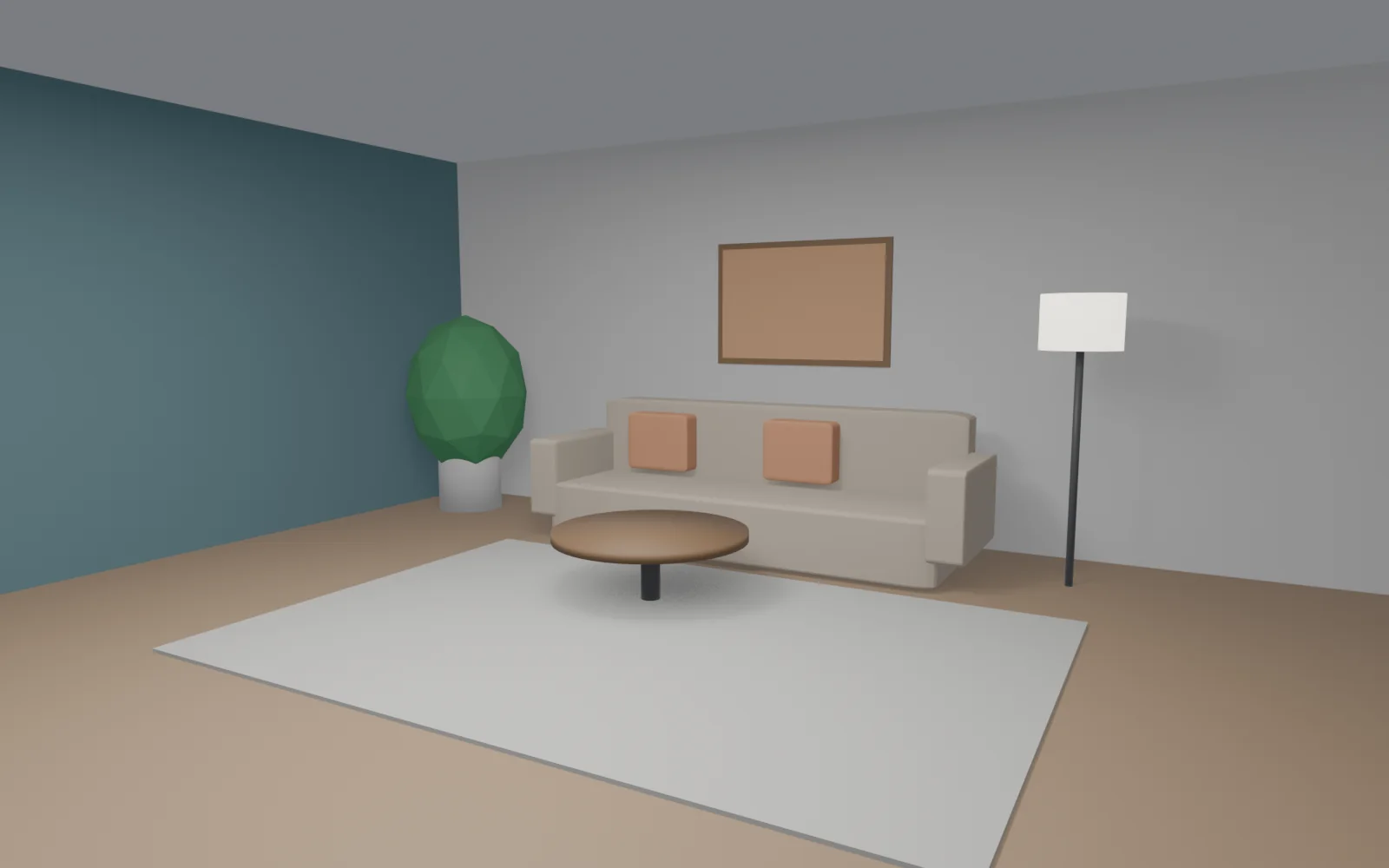
Work in metres with real-world scale. Build a simple showroom: 8 m x 6 m floor, 3 m ceiling, one wall of windows. Place the sofa model from the Products collection at the centre. Budget: room shell under 5,000 triangles, sofa under 30,000 (use Decimate and check the silhouette from 3 angles). Name objects SR_Floor, SR_Wall_N, PROD_Sofa_Base, PROD_Sofa_Cushions. Use Principled BSDF materials only, with image textures, no procedural nodes. Create three fabric material variants: MAT_Fabric_Grey, MAT_Fabric_Olive, MAT_Fabric_Sand. Render a viewport preview from a camera at 1.6 m eye height and show me before continuing.
Lighting needs one extra step. The Blender manual notes that glTF only carries point, spot and directional lights; area lights and world lighting are ignored on export. Bake the soft studio look into textures or it vanishes in the browser.
Add a soft studio setup for the showroom room shell only, then bake lighting into a 2048 x 2048 texture using Cycles at 256 samples with denoising. Keep the sofa unbaked so its fabric can still change colour in the browser. Connect the baked image to the room materials as base colour and remove the lights afterwards.
Step 3: Export a GLB that phones can handle
Of the Blender exporter’s three glTF variants, binary .glb is simplest for the web: meshes and textures travel in one file. Its Draco mesh compression is decoded in three.js by DRACOLoader; files get smaller, but phones spend time decoding, so test both.
Export the Showroom and Products collections as a single GLB to /export/showroom.glb. Settings: glTF Binary, apply modifiers, +Y up, include custom properties, keep the three fabric materials in the file, Draco compression level 6. Resize any texture above 2048 px down to 2048, and use 1024 px for anything smaller than a chair. Report file size, triangles and texture count. If the file is over 15 MB, propose what to cut.
Step 4: Turn the model into an experience with Claude Code
Switch to Claude Code, drop the GLB into /public/models and start in plan mode, the same loop behind our three.js game walkthrough.
Plan first, do not write code yet. Build a single-page 3D showroom with three.js and Vite. Load /public/models/showroom.glb with GLTFLoader and DRACOLoader (decoders served locally). Orbit controls limited so the camera never goes through walls or below the floor. Add 4 hotspots read from hotspots.json (position, title, text, image). Tapping a hotspot eases the camera to a preset view and opens a bottom sheet on mobile, a side panel on desktop. Add a 'WhatsApp us about this' button per hotspot that fills in the product name. Show a loading bar. Mobile first.
Add a configurator to the sofa. Read options from config.json: fabric (Grey, Olive, Sand, mapped to the GLB fabric materials), leg finish (Oak, Black), size (2-seater, 3-seater swaps the mesh). Show swatches under the canvas. Update the price from config.json in RM with SST shown separately, never hard-coded in the JavaScript. Put the options in the URL so a build can be shared. Add a 'Request quotation' button that sends the options to our form endpoint.
Step 5: Make it fast on a mid-range phone
Most people open your link on a phone, on mobile data. Measure, do not guess.
Add a debug overlay (press backtick) with fps, draw calls, triangles and texture memory. Then optimise for a mid-range Android phone on 4G: cap pixel ratio at 1.5, one shadow-casting light or none, share materials, use InstancedMesh for repeated items, lazy-load secondary models after the first view appears, and stop rendering when nothing moves. Target first view under 4 seconds and 30 fps or better.
Step 6: WebXR and AR, only where it actually works
Be careful promising “view it in VR”. MDN marks the WebXR Device API as experimental with limited availability: it is not Baseline because it does not work in some of the most widely used browsers, and it only runs over HTTPS. three.js supports it with renderer.xr.enabled, its VRButton or ARButton helpers, and renderer.setAnimationLoop(). Make it an optional extra, never the main path.
Add an optional WebXR mode to the showroom. Check navigator.xr support first; only show the 'Enter VR' or 'View in AR' button when the session type is supported, otherwise hide it with no error. Use renderer.setAnimationLoop instead of requestAnimationFrame. Keep the normal touch and mouse experience unchanged. List the devices I must test by hand.
A living world, not only a showroom
Our team’s Nouns City on Noggles.online is a browser world where 100 Nouns have jobs, homes and routines, built with Claude Code. Event organisers and museums could do the same with characters and schedules; our guide to AI world building explains how. For contrast, OpenAI’s GPT-6 Astra drives Blender through computer use, clicking the interface like a person; see what people built with GPT-6 Astra. MCP talks to Blender’s Python API instead.
Human sign-off. On anything a buyer relies on, such as prices, built-up area, SST or availability, a named person checks Claude’s numbers against the source before the link goes out.
Where to learn the pipeline
On our AI Vibe Coding course you build and deploy real tools with Claude Code in two hands-on days, including 3D planners like the warehouse twin. For deeper MCP and multi-agent work, see Claude training for AI orchestration. For marketing visuals around your 3D page, see AI 3D product visuals with Blender and Claude and our AI image generation guide.
Two hands-on days on the plan, build, test and fix loop: you leave with a working tool on a live link, including 3D planners and simulators like our warehouse twin.
Next public class: 5–6 December 2026 at Worq Subang · seats available
HRD Corp claimable. AITraining2U is an HRD Corp registered training provider. Our public and in-house courses are claimable under the HRD Corp Claimable Courses (SBL-KHAS) scheme, and we prepare the grant paperwork with you. See HRDC-claimable AI training: courses, costs and how to claim.