
Most finance teams do not need another app to log into — they need the AI inside the spreadsheet and the inbox where they already work. That is the whole pitch of Microsoft 365 Copilot. It is a generative-AI layer embedded in Excel, Outlook, Teams, Word and PowerPoint, grounded on your organisation’s own data through the Microsoft Graph — so answers reflect your ledgers and emails, not the open web. In 2026 it goes further: Copilot Studio lets you build custom agents that take actions, a role-based Finance Agent handles reconciliation and collections, and Agent 365 governs agents like digital employees. This is one of our tool-by-tool finance series (see n8n, Lark, Gemini, Claude).
Why Copilot 365 fits a Microsoft finance team
The advantage is proximity and governance. Copilot is grounded on your tenant data, so a reconciliation or variance answer draws on your actual figures; it lives inside the apps finance already uses; and it inherits Microsoft’s enterprise controls — Entra identity, Purview DLP, existing permissions. On top sits Copilot Studio (a low-code builder wiring agents across 1,400+ connectors including SAP and Dynamics 365) and the new Finance Agent. One honest note on cost: basic Copilot Chat is included with eligible plans but only as a walled-off chatbot; the deep in-app value — Copilot in Excel and Outlook — needs the paid Microsoft 365 Copilot add-on at roughly US$30 (about RM130) per user per month. Our what is Copilot 365 guide breaks the licensing down.
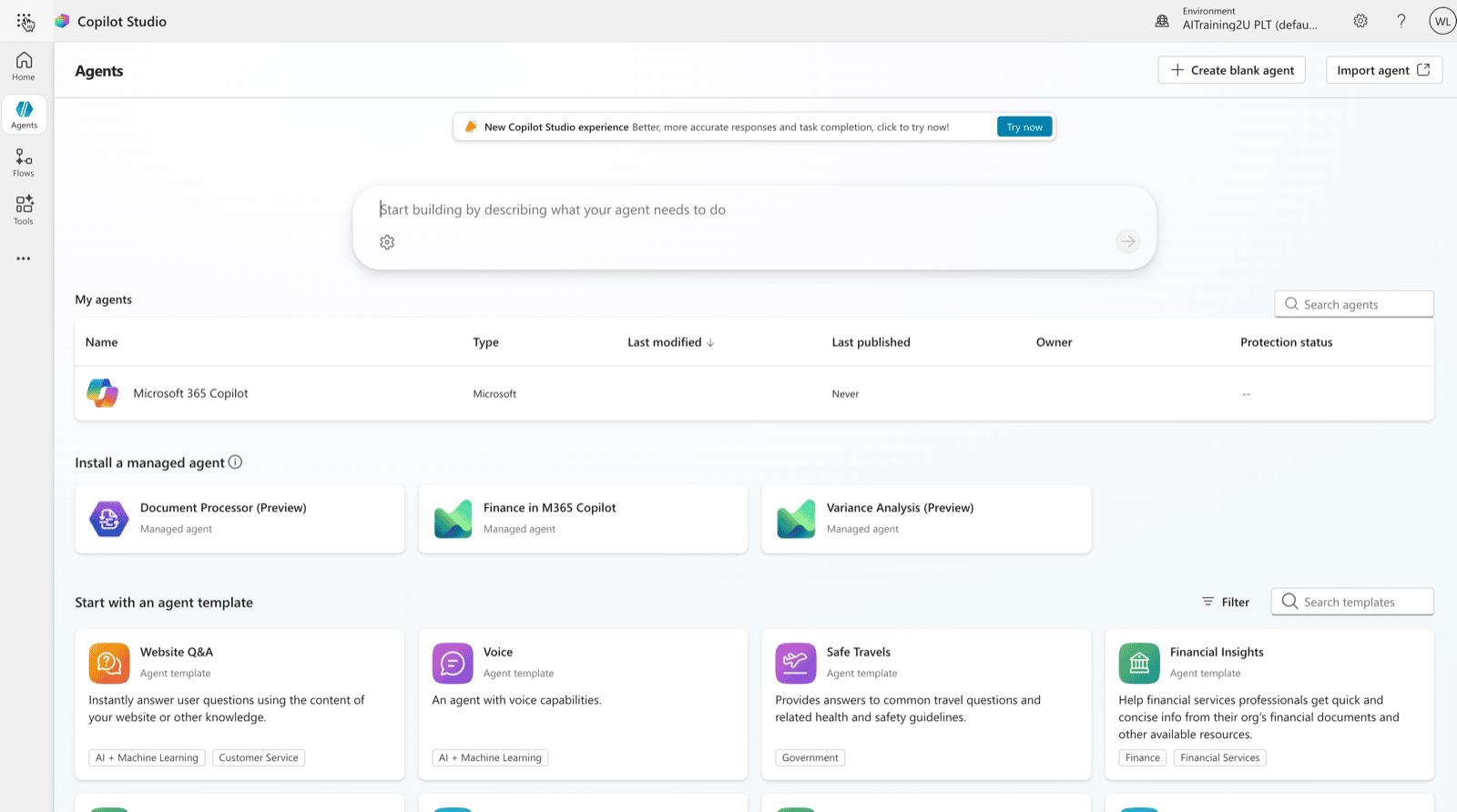
Six agentic finance workflows
| Finance use case | How the AI agent works | The payoff |
|---|---|---|
| 1. AP invoice-processing agent (Copilot Studio) | An invoice PDF lands in a monitored mailbox or SharePoint folder; a Copilot Studio agent reads it, an agent flow validates and 3-way-matches against PO and receipt data pulled through an ERP connector, flags duplicates and exceptions, and writes clean data back to the ERP. | Faster approvals and fewer keying errors. Large enterprises run 100,000+ invoices a year this way. |
| 2. Reconciliation assist in Excel (Finance Agent) | The analyst opens two datasets — GL vs bank or sub-ledger; the Finance Agent detects the structures, generates a reconciliation report, surfaces discrepancies with likely causes and saves a documented, audit-ready summary. | Hours of reconciliation compressed to minutes with an audit trail attached. See reconciliation. |
| 3. Forecasting & variance analysis (Copilot in Excel + Python) | The analyst asks Copilot to analyse an actuals-vs-budget table; it builds PivotTables and trend analysis in plain language, runs Python in Excel for regression/forecasting without scripting, charts the result and drafts the variance commentary. | Data-scientist-grade forecasting and narratives for any analyst. Pairs with FP&A. |
| 4. AP/AR inbox triage & collections (Finance Agent in Outlook) | A supplier or customer emails about a payment; the Finance Agent connects to the ERP from Outlook, reads the intent, drafts a data-grounded reply (e.g. real-time payment status) and logs a communication summary with action items. | Faster, consistent collections and AP responses with less context-switching to the ERP. |
| 5. Month-end close narrative (Copilot agentic mode) | Once the close numbers are final in Excel, Copilot ingests the workbook and prior commentary, drafts a management-reporting narrative in Word grounded on the figures and generates a board-ready PowerPoint deck for review. | A reporting pack drafted in minutes with a consistent tone across periods. Pairs with reporting. |
| 6. Finance policy & expense-check agent (Copilot Studio) | An employee asks a policy question in Teams or submits an expense report; the agent, grounded on the finance policy library in SharePoint, answers with citations, checks expense lines against thresholds, flags out-of-policy items and routes exceptions to a controller. | Deflects routine finance-help tickets and pre-screens expense claims before human approval. |
What is real today — and the honest limits
These are shipping capabilities in 2026: Copilot in Excel with Python, Copilot agentic mode in Word/Excel/PowerPoint, Copilot Studio autonomous agents that can read and write Excel/CSV/PDF and run code on a schedule, agent flows that take actions across 1,400+ connectors, the role-based Finance Agent, and Agent 365 for governance. The limits are equally real. Outputs are only as good as the tenant data and connectors, and agents can still produce plausible-but-wrong numbers — so finance outputs need human review before they hit a ledger or a filing. The genuine value needs the paid add-on, not free Copilot Chat, and metered agent runs add cost. Some newer agents launched English-only with regional rollout lagging, so a Malaysian tenant should check availability. And because agents respect existing permissions, sloppy SharePoint sharing becomes an AI risk surface.
The Malaysian angle: licensing, governance and HRD Corp
For a Malaysian finance team already on Microsoft 365, the fastest path is: start on Copilot Chat to build the habit, then license the add-on for the analysts who live in Excel and Outlook. The upskilling is HRDC-claimable via SBL-KHAS — see HRDC AI training — and it pairs naturally with AI for accountants. For the concept behind it all, read what is agentic AI.
Train your finance team on Copilot 365
- Copilot in Excel — forecasting, variance, Python analysis
- Build a Copilot Studio AP or expense agent on your data
- Governance, DLP and the Finance Agent for controlled rollout
All classes are HRDC-claimable for eligible employers — delivered on your own finance processes and data.
Where to start
Begin inside Excel — reconciliation assist and variance analysis deliver value on day one with a licence and no build. Then graduate to a single Copilot Studio agent (AP inbox or expense checking) with a controller approving exceptions. Prove it, govern it with Agent 365, and expand.
If you want to see this pattern running rather than read about it, SuperAgentK is a Malaysian-built agentic workspace — a team of AI agents in your own sandboxed environment that arrive already knowing Malaysian statutory rules (EPF, SOCSO, payroll deadlines) and plug into the systems you already run. There is a live demo at demo.superagentk.com.
Disclosure: SuperAgentK is co-founded by a member of the AITraining2U team.